I daily drove an linux phone (Oneplus 6T)
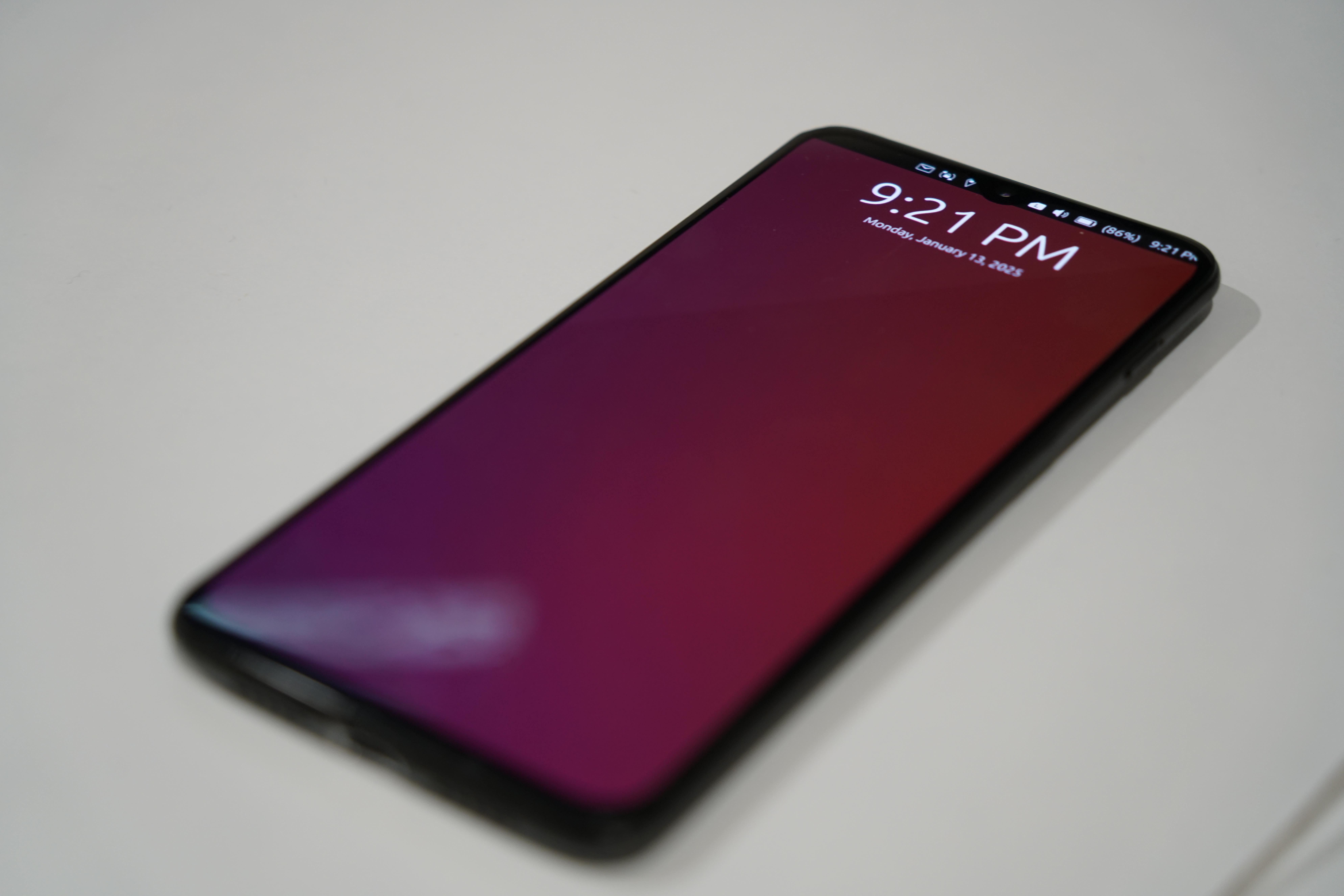
Introduction
I got an second hand Oneplus 6T 128GB 8GB
It came quite a bit dirty, lot’s of dents around the frame of the phone and a huge dent on the charging port, extremely scratched screen, but the back glass was prestine probably replaced.
Which originally came out in 2018 which is old by today standards but still very ususable and faster than some newer mid-low range smartphones, installing LineageOS makes it a very capable phone in 2025.
The reason I wanted to try an linux phone was because first of all linux with it’s open source, privacy friendly, less bloated, longer update support, customizability, more user control, etc. Also I use Linux extensively from my Desktop, Laptop, and server all running Arch linux
Originally wanting to get PinePhone Pro to daily drive, it is the most well supported linux phone with the ability to load multiples OS even on a SD card (it has an sd card unlike Oneplus 6t), removable battery, dedicated hardware kill switch, additional addons like hardware keyboard, LoRa antenna, some of the few which interested me. But the weak CPU, GPU, and worse camera than an iPhone 4s with it’s high price tag seems less reasonable than a cheaper faster OnePlus 6t
I use a dedicated camera for photos + the camera on postmarketOS didn’t work at the time
Software
OS
I tried LineageOS, Ubuntu touch, tried to get Mobian on the device
I daily Ubuntu Touch for a bit then LineageOS before going postmarketOS
The main reason I got Oneplus 6t was that it was well supported on postmarketOS
I ended up with SXMO postmarketOS which is a sway tiling windows manager
I also use a tiling windows manager on my main machine Arch linux + Hyprland
Which is a bit less polished than others like gnome, phosh, kde, etc
CPU
The cpu is the Snapdragon 845 which is a well supported cpu on postmarketOS, fast enough for modern tasks
Repository
PostmarketOS uses alpine linux as it’s base which is lightweight linux distro, which comes with the apk package manager which doesn’t have a lot of softwares compared to pacman package manager on arch.
I expected this as having extensively used on iPhone using iSH which emulates alpine linux on ios giving a linux terminal shell
Other ways to install software is through flatpak I had trouble adding the flathub repo to install applications
Camera
The camera was not really supported at the time when I daily drove the Oneplus, recently the edge channel of postmarketOS the camera works except the main camera, for me the front camera was really pink and the front secondary camera was a bit blurry, the autofocus didn’t work and was a bit dim and green.
Bluetooth
Connecting my bluetooth AirPods was a hassle and used a bluetooth gui application to connect with my AirPods. I couldn’t manage to connect to cars infotainment system.
The phone autosuspends after a while which turns off bluetooth and wifi So when playing music after a while, the bluetooth AirPods disconnects and music blasts out the phone speaker (of course this was embarassing in public)
I turned off the autosuspend in the setting which drainned the battery faster, and sometimes the screen stays on heating the phone and draining the battery (more of an sxmo software issue)
WiFi
WiFi worked perfectly no issues but currently doesn’t support mac address randomization for more privacy
Mobile Network
When I used other likes gnome, phosh, kde interface the Mobile Data was hit or miss even after entering the correct APN for my Network Provider, it fails connecting to my Mobile network.
I think it works by first installing android then installing postmarketOS over top then it works.
SXMO requires setting APN manually but after that it worked.
Audio
I ran mpris-proxy manually which allows me to stop/play and play previous/next track with the media controls on my AirPods
To adjust volume the physical volume rocker is not used rather swiping up or down on the left hand edge of the screen which was finnicky to use to say the least
I think bluetooth is annoying and a hassle, so the only bluetooth device I connected was my Airpods.
As the Oneplus 6t doesn’t have a headphone jack while the Oneplus 6 (non T) has an headphone jack which is a bummer for me.
GPS
GPS required some commands after post-installation to get working detailed on their website
RAM
My Oneplus 6t came with 8gb which was more than enough for what I was doing, and you could theoretically run docker on this phone as a server
Storage
My Oneplus 6T came with 128GB of storage, which was more than I needed.
The camera not working probably contributed to not using up storage
And my use case of not storing a lot of files on the device
The operation system only took up a couple gigs and adding my music library I used under 5 GB.
Waydroid
I have tried Waydroid extensively before on my linux machine and think it is a really good project
Also I have installed and tried on postmarketOS in my testing before dailying the Oneplus 6t.
I wanted a more pure linux experience without android, also it added bloat, slower emulating and importantly drained battery faster. Leaving it on to get notification or having to wait for it to load up.
The really main thing I was thinking of using waydroid for was my public transportation app (using linux script), discord (can have linux app but I just left it open in browser, maybe a better map.
In the end I decided not to, as I was able to go without android apps, and I think it was a good choice
SSH
I was able to enable SSH and be able to access the phone from my computer and used to copy files to the phone using scp
Applications
Calls
Calls worked but sometime the mic didn’t work requiring ending the call and calling again or a full phone restart. The audio was always through the speakerphone and had to adjust it through the finicky touchscreen gesture
Messaging
Messaging worked well through a terminal CLI, except accidentally having the volume max and the message received tone was loud (embarrassing myself)
I haven’t tested with images just text, with not able to copy text or links or I haven’t found a way
Music
I installed Syncthing that automatically synced music from my server
Which I then use cmus a Terminal User Interface (TUI) application so I can play music from my terminal
Navigation
GPS didn’t work reliably for me, but I was able to get it working with my location
I installed gnome-maps for my map app
The public transport custom script worked perfectly, which I found was much faster than the app and more efficient not having a whole bloated app. Also faster then loading up Firefox then the stop number.
I had a custom script in terminal to run, written in rust for the phone aarch64 architecture, that allow me input bus stop and outputs the bus time schedule
Web browsing
I used the pre installed Firefox browser to do my web browsing
Usage
Scaling
Some applications didn’t scale properly e.g. Firefox context menu being bigger than the screen itself having to zoom out, which is a side effect of running desktop application on a phone, unoptimized experience on phone
Gestures
Learning the gestures helped the ease of use of the phone even though it was finicky and sometimes didn’t work
Overall
It was cool to use a Linux phone with a terminal workflow, VPN to home and ssh to servers, messaging in terminal, music player in terminal.
I just got used to it, if you don’t like it you can change it and are not limited by how the manufacturer forces you to use it in a certain way.
I think this is the beauty of Linux in a certain way, like Linux on the desktop but still in it’s infancy.
Conclusion
Having an open source, privacy friendly, up to date, customizable, cohesive with desktop, Linux phone was nice and I was able to live with some minor inconveniences and some very big disadvantage which may be a deal-breaker for other peoples.